BandLab Assistant provides the easiest way to install Cakewalk. Simply log in with your BandLab account and BandLab Assistant simplifies the download and installation process. BandLab Assistant also makes it easy to install future software updates. For details, see BandLab Assistant.
![]()
If you are installing from BandLab Assistant: Follow the instructions under BandLab Assistant. BandLab Assistant provides the easiest way to download and install Cakewalk.
![]()
If you are installing from a digital download: Locate the file
Cakewalk_by_BandLab_Setup.exe that was saved to your computer's hard drive and double-click on it to begin the installation.
4. Click the Install button.
BandLab Assistant is an application that lets you access both BandLab and Cakewalk content, including all future Cakewalk releases and updates. Use the Apps tab to install, update, and open Cakewalk and related content like demo projects and instrument packs. Use the Sounds tab to drag over 2,000 free loops into your projects.
1. Download BandLab Assistant from https://www.bandlab.com/download/assistant/windows, then install it on your computer.
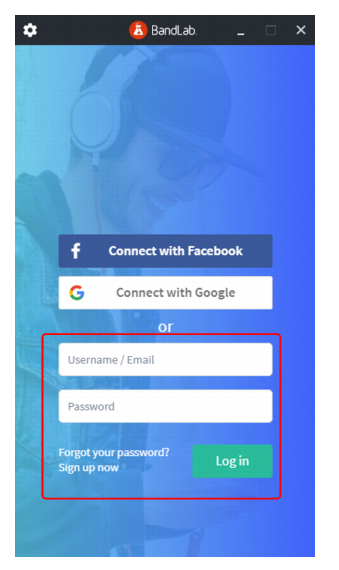
3. Type your BandLab account user name and password, then click Log in. If you do not yet have an account, click Sign up now.
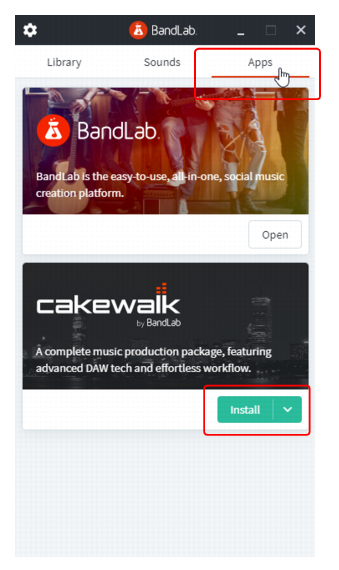
4. Click the Apps tab to show available applications. Under Cakewalk by BandLab, click Install. BandLab Assistant will download and install Cakewalk.
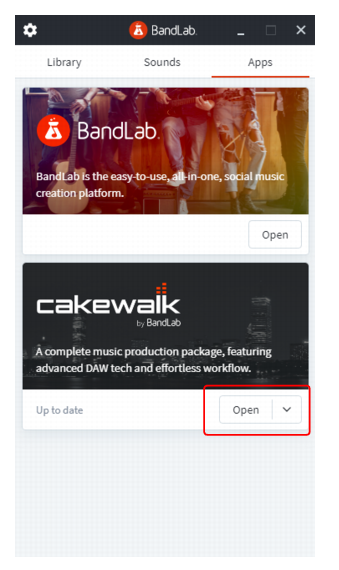
5. When installation is complete, click Open to open Cakewalk.
2. Click the Apps tab.
3.
Tip - Searching Documentation
Tip: To search for a specific topic, type your search query in the Search Cakewalk.com field at the top right of this page.
When the search results appear, click which product's documentation you would like to search to filter the search results further.
Note - Using Offline Help
Note: If you prefer to always use offline Help, go to Edit > Preferences > File > Advanced in your Cakewalk software and select Always Use Offline Help.
If you are not connected to the internet, your Cakewalk software will default to showing offline help until an internet connection becomes available.